Does multi-monitor mixed-DPI work in Gnome? Because that's the only thing that I couldn't get working in KDE about 2 years ago. (The problem was most easily solved with a new monitor.)
I restart perhaps every six months due to some problem that could be KDE; I find it very reliable both at home and at work. Granted, both machines are desktops, I use a laptop so rarely that I usually shut it down after use.
> titlebar integration
This is personal preference, but that's a showstopper for me ever using Gnome (or Mac OS) for anything beyond web browsing. I use focus-follows-mouse, which is incompatible with a titlebar outside the relevant window.
Nothing built on X does mixed DPI well, because X itself (in most configurations) treats multiple monitors as simple viewports onto a single screen. A single screen with multiple DPIs doesn't make sense virtually any more than it does physically.
Wayland is supposed to help with this, since it has a more modern take on screen virtualization (a la Windows or Mac). Getting all the user software to work on Wayland (via XWayland) is a nontrivial ongoing task. I'm not sure what Gnome Shell's state of affairs is w.r.t. Wayland, but I do know the ecosystem missed the boat with Ubuntu 18.04, which elected not to make Wayland the default due to stability and usability issues. So it might be a while before a major stable distro makes the move.
Not by default. I had to hack a script by mixing xrandr scaling and Gnome scaling settings, which works, with some caveats I haven't figured out yet[1].
The reason I stick to Gnome is that plug-and-play works like a charm, remembering my settings with various monitors.
> I restart perhaps every six months due to some problem that could be KDE; I find it very reliable both at home and at work. Granted, both machines are desktops, I use a laptop so rarely that I usually shut it down after use.
Most crashes came from laptop-related actions: monitor hot plugging, closing the lid while being awake, waking up with another monitor plugged in, etc.
> I use focus-follows-mouse, which is incompatible with a titlebar outside the relevant window.
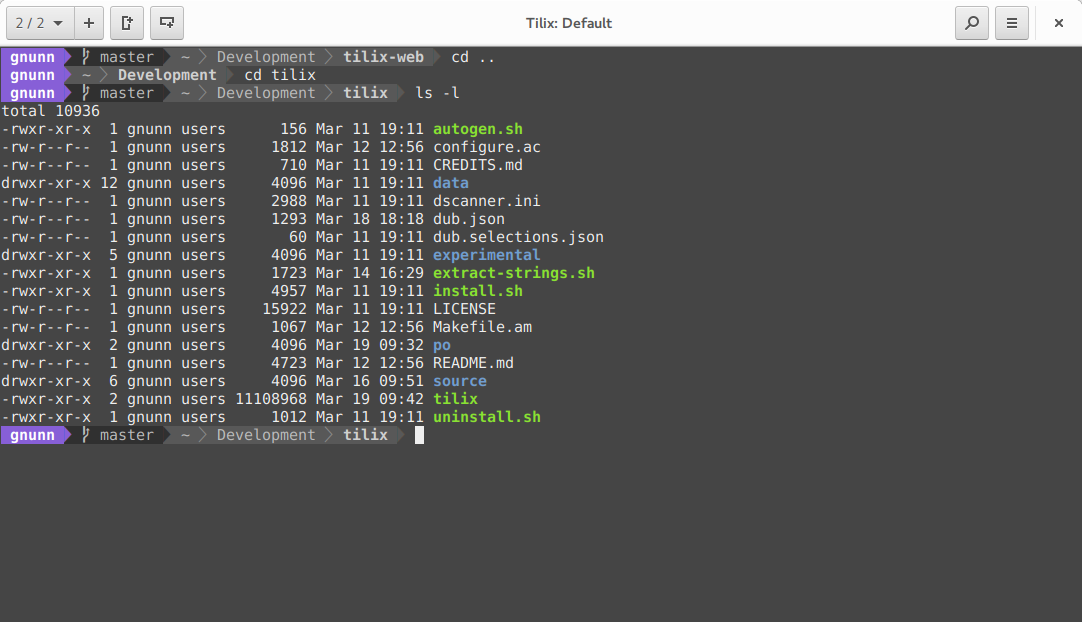
What I meant by "titlebar integration" was when the applications themselves draw UI on the titlebar like in Nautilus or Tilix for instance[2].
The "menu in top bar" feature can be deactivated, so I think you could use Gnome.
[1]: 1. The Gnome UI (dock and topbar) are huge, which isn't much of a problem for me since they are on a smaller monitor.
2. Some applications don't scale properly and are either too zoomed in or out.



I restart perhaps every six months due to some problem that could be KDE; I find it very reliable both at home and at work. Granted, both machines are desktops, I use a laptop so rarely that I usually shut it down after use.
> titlebar integration
This is personal preference, but that's a showstopper for me ever using Gnome (or Mac OS) for anything beyond web browsing. I use focus-follows-mouse, which is incompatible with a titlebar outside the relevant window.